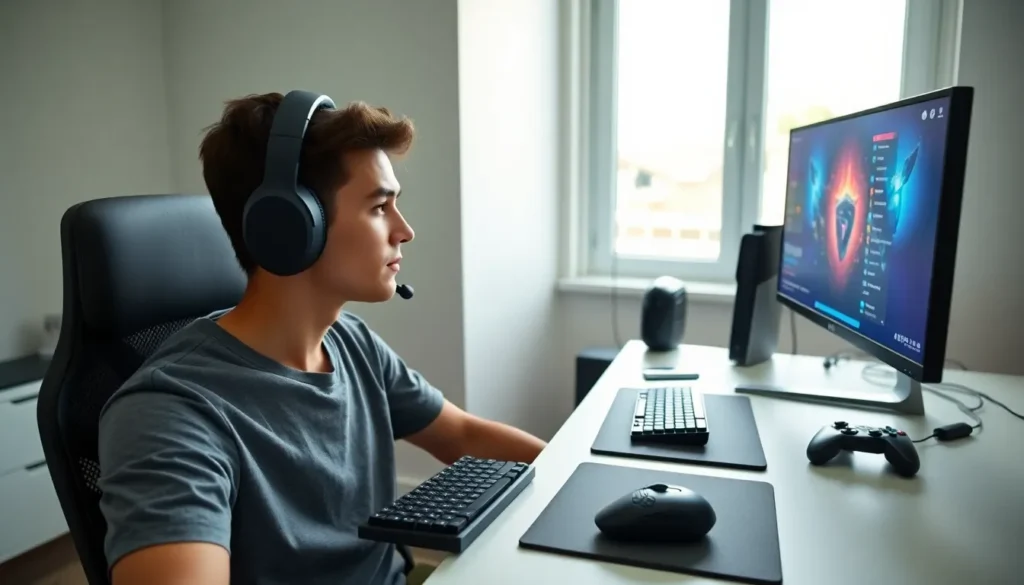

Gaming accessories for beginners can feel overwhelming at first glance. Walk into any electronics store or browse online, and you’ll find thousands of headsets, controllers, keyboards, and mice, all promising to level up your gameplay. But here’s the thing: you don’t need to spend a fortune or buy everything at once.
This guide breaks down the essential gaming accessories every new player should consider. It covers platform-specific choices, budget-friendly picks that actually perform, and the common mistakes that trip up newcomers. Whether someone is building their first PC setup or just got a new console, they’ll find practical advice to get started without the guesswork.
Table of Contents
ToggleKey Takeaways
- Gaming accessories for beginners don’t need to be expensive—start with essentials like a quality headset and reliable input devices.
- Match your gaming accessories to your platform, as compatibility varies between PC, PlayStation, Xbox, and Nintendo Switch.
- Budget-friendly headsets, mice, and keyboards under $60 can deliver excellent performance for new players.
- Avoid buying everything at once—develop your preferences over time and upgrade gradually as your skills improve.
- Prioritize comfort and functionality over flashy aesthetics, especially for long gaming sessions.
- Always research reviews and check return policies before purchasing any gaming accessories.
Essential Gaming Accessories Every Beginner Needs
Before diving into specific products, beginners should understand which gaming accessories actually make a difference. Not every shiny gadget improves gameplay. Some are genuinely useful, while others are pure marketing fluff.
The good news? A solid starter kit doesn’t require dozens of items. A quality headset, reliable input devices, and maybe a few comfort upgrades will cover most needs.
Gaming Headsets
A gaming headset sits at the top of most priority lists, and for good reason. Clear audio helps players hear footsteps, dialogue, and environmental cues that can mean the difference between winning and losing.
For beginners, look for these features:
- Comfortable ear cups: Gaming sessions can last hours. Cushioned, breathable materials prevent fatigue.
- Built-in microphone: Most multiplayer games require voice communication. A decent mic eliminates the need for separate equipment.
- Wired vs. wireless: Wired headsets offer consistent audio without battery concerns. Wireless options provide freedom of movement but cost more.
Entry-level headsets from brands like HyperX, Razer, and SteelSeries offer solid performance between $40 and $80. Beginners don’t need surround sound or premium drivers right away, those upgrades come later.
Controllers and Input Devices
Input devices depend heavily on the gaming platform. Console players typically use the included controller, but PC gamers face more choices.
For console gaming:
- The standard controller works fine for most beginners
- Consider a second controller for local multiplayer
- Third-party controllers can save money, though quality varies
For PC gaming:
- A gaming mouse with adjustable DPI settings improves precision
- Mechanical keyboards offer better response times than membrane models
- A basic mouse pad with a smooth surface helps with tracking
Beginners should resist the urge to buy pro-level controllers or specialized peripherals immediately. Standard gaming accessories work perfectly while players develop their skills and preferences.
How to Choose the Right Accessories for Your Platform
Gaming accessories aren’t universal. What works brilliantly on PlayStation might be useless on Nintendo Switch. Beginners need to match their gear to their platform.
PC Gaming
PC offers the most flexibility. Players can use almost any USB or Bluetooth accessory. The tradeoff? More decisions to make. Essential gaming accessories for PC beginners include:
- A gaming mouse (wired models under $50 perform excellently)
- A mechanical or membrane keyboard based on budget
- A headset with a 3.5mm jack or USB connection
PlayStation and Xbox
Console gaming keeps things simpler. Both platforms use proprietary controllers, and most wired headsets with 3.5mm connections work immediately. Beginners should check compatibility before buying wireless headsets, some require specific dongles or adapters.
Nintendo Switch
The Switch presents unique challenges. Its portable design limits accessory options. Pro Controllers improve comfort for docked play, while compact carrying cases protect the console during travel. Many standard gaming accessories don’t work with Switch without adapters.
Cross-Platform Considerations
Some players game on multiple platforms. In these cases, look for gaming accessories labeled as “multi-platform compatible.” Certain headsets and controllers work across PC, PlayStation, and Xbox with minimal setup changes.
Budget-Friendly Options That Deliver Quality
Gaming accessories don’t have to drain bank accounts. Plenty of affordable options perform nearly as well as premium alternatives.
Headsets Under $50
The HyperX Cloud Stinger and Razer Kraken X deliver clear audio and decent microphones at entry-level prices. Both offer comfort features usually found in more expensive models.
Mice Under $40
Logitech’s G203 and Razer’s DeathAdder Essential give beginners responsive sensors and durable builds. They lack some advanced features but handle everyday gaming perfectly.
Keyboards Under $60
Mechanical keyboards from Redragon and Tecware provide satisfying key feel without the $150+ price tags of premium brands. Beginners won’t notice the difference during normal gameplay.
Where to Find Deals
- Amazon Prime Day and Black Friday offer significant discounts on gaming accessories
- Refurbished items from manufacturer outlets work like new at reduced prices
- Bundle deals often include multiple accessories at better value than individual purchases
Beginners should remember that expensive doesn’t always mean better. Many professional gamers started with budget gaming accessories and upgraded gradually as their skills improved.
Common Mistakes Beginners Should Avoid
New gamers often make predictable errors when buying their first gaming accessories. Avoiding these pitfalls saves money and frustration.
Buying Everything at Once
The temptation to purchase a complete setup immediately is strong. Resist it. Start with essentials, a headset and maybe a mouse, then add items as needs become clear. Preferences develop over time, and early purchases might not match long-term requirements.
Prioritizing Aesthetics Over Function
RGB lighting looks cool. Flashy designs catch attention. But neither improves gameplay. Beginners should focus on comfort, durability, and performance first. The fancy stuff can come later.
Ignoring Ergonomics
Gaming sessions strain hands, wrists, and ears. Accessories that feel uncomfortable after 30 minutes will hurt after two hours. Test items when possible, read reviews mentioning comfort, and don’t ignore early warning signs of discomfort.
Skipping Research
Not all gaming accessories deserve their price tags. Some budget options outperform expensive alternatives. Read reviews from multiple sources, watch comparison videos, and check community forums before purchasing.
Forgetting About Warranty and Returns
Accessories fail sometimes. Buy from retailers with clear return policies. Check warranty terms, some manufacturers offer multi-year coverage while others provide minimal support.