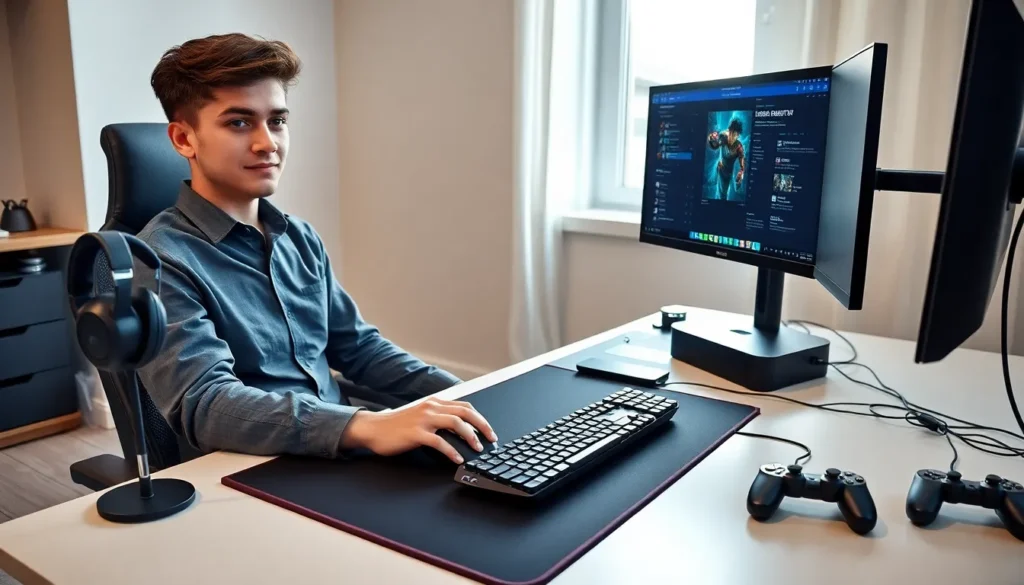

Gaming accessories tips can transform an average setup into a competitive advantage. The right peripherals improve reaction time, comfort, and overall gameplay experience. But, many gamers overlook simple choices that make a real difference.
This guide covers how to select gaming accessories that match specific playstyles. It also explains maintenance practices that extend product lifespan and setup tweaks that boost performance. Whether someone plays casually or competitively, these gaming accessories tips will help them get more value from their investment.
Table of Contents
ToggleKey Takeaways
- Match gaming accessories to your playstyle—FPS players need lightweight, high-DPI mice while strategy gamers benefit from extra programmable buttons.
- Invest in often-overlooked accessories like quality mouse pads, wrist rests, and cable management solutions to boost comfort and performance.
- Clean your gaming peripherals regularly using compressed air and isopropyl alcohol to extend their lifespan by years.
- Position your monitor at arm’s length and keep your arms at a 90-degree angle to reduce strain during long gaming sessions.
- Keep firmware and companion software updated quarterly to access performance improvements and new features for your gaming accessories.
Selecting the Right Gaming Peripherals for Your Playstyle
Choosing gaming accessories starts with understanding how someone plays. A first-person shooter fan needs different gear than a strategy game enthusiast. The wrong peripheral can actually hurt performance.
Mice and Controllers
FPS players benefit from lightweight mice with high DPI sensors. Look for models between 60-80 grams with adjustable sensitivity settings. MOBA and RTS players often prefer mice with extra programmable buttons for quick ability access.
Controller users should consider ergonomics first. Larger hands need bigger grips, while smaller hands work better with compact designs. Wireless controllers offer freedom of movement, but wired options eliminate input lag concerns.
Keyboards
Mechanical keyboards remain the top choice for serious gamers. Linear switches (like Cherry MX Reds) suit fast-paced games where quick keypresses matter. Tactile switches provide feedback that some players prefer for precise inputs.
Keyboard size also matters. Full-size boards include number pads useful for MMO players. Tenkeyless (TKL) and 60% keyboards save desk space and allow more room for mouse movement.
Headsets
Audio quality affects gameplay more than many realize. Surround sound headsets help players locate enemies by audio cues alone. Closed-back designs block external noise, while open-back options reduce heat during long sessions.
Microphone quality matters for team communication. Look for headsets with noise-canceling mics that filter out background sounds. This keeps teammates focused on callouts instead of distractions.
Essential Accessories Every Gamer Should Consider
Beyond the basics, several gaming accessories tips point toward gear that many overlook. These items improve comfort and performance without very costly.
Mouse Pads and Desk Mats
A quality mouse pad provides consistent tracking. Hard pads offer speed and precision for low-sensitivity players. Cloth pads give more control and stopping power. Extended desk mats protect the entire surface and keep keyboards from sliding.
Monitor Stands and Mounts
Proper monitor height reduces neck strain during long sessions. Adjustable stands let players position screens at eye level. Dual-monitor arms free up desk space and allow quick angle adjustments.
Controller Charging Stations
Dedicated charging docks keep controllers ready for action. They also reduce cable clutter and extend battery lifespan compared to leaving controllers plugged in constantly.
Wrist Rests and Ergonomic Supports
Repetitive strain injuries affect many gamers. Gel or memory foam wrist rests reduce pressure during extended play. Some players also benefit from ergonomic mouse grips or controller attachments.
Cable Management Solutions
Mouse bungees prevent cable drag that interferes with aim. Velcro straps and cable channels keep setups clean and organized. Good cable management also improves airflow around equipment.
Tips for Maintaining and Extending Accessory Lifespan
Gaming accessories represent a significant investment. Proper care extends their useful life by years. These gaming accessories tips focus on simple maintenance habits.
Regular Cleaning
Dust and debris accumulate quickly on peripherals. Clean mice sensors monthly with compressed air or a soft brush. Wipe down surfaces with isopropyl alcohol to remove oils and grime.
Keyboards need deeper cleaning every few months. Remove keycaps and shake out debris. Use a small brush between switches. Some mechanical keyboards allow full disassembly for thorough cleaning.
Headset ear cushions absorb sweat and skin oils. Wipe them after each session with a damp cloth. Replace cushions annually for hygiene and comfort.
Proper Storage
Store controllers in cases or stands rather than loose in drawers. Avoid coiling cables too tightly, which damages internal wiring over time. Keep peripherals away from direct sunlight that degrades plastics.
Firmware and Software Updates
Manufacturers release updates that fix bugs and improve performance. Check for firmware updates quarterly. Keep companion software current to access new features and optimizations.
Battery Care
Wireless devices last longer with proper battery habits. Avoid full discharges when possible. Store devices with partial charges during extended breaks. Replace rechargeable batteries when they no longer hold charge effectively.
Optimizing Your Gaming Setup for Comfort and Performance
The best gaming accessories tips consider the complete setup, not just individual pieces. How everything works together determines the final experience.
Desk and Chair Positioning
Arms should rest at a 90-degree angle when using keyboard and mouse. Monitor distance should equal roughly an arm’s length away. Chair height should allow feet to rest flat on the floor.
Many gamers sit too close to their screens. This causes eye strain and limits peripheral vision. Step back and adjust monitor settings for clarity at proper distance.
Lighting Considerations
Bias lighting behind monitors reduces eye fatigue during dark scenes. Avoid overhead lights that create glare on screens. Adjustable desk lamps provide task lighting without affecting gameplay visibility.
RGB lighting looks great but serves practical purposes too. Backlit keyboards help locate keys in dim rooms. Some systems sync lighting with in-game events for added immersion.
Audio Setup
Headset users should calibrate audio settings for their specific games. Many titles include audio presets that emphasize footsteps or environmental sounds. External DACs and amplifiers improve audio quality for high-end headsets.
Speaker users need proper placement. Position speakers at ear level, angled toward the listening position. Subwoofers add impact but require calibration to avoid overwhelming other frequencies.
Peripheral Placement
Mouse and keyboard position affects performance directly. Most players perform better with keyboards angled slightly and mice at the same height. Experiment with different placements to find what feels natural.