
A solid gaming accessories guide can make the difference between average gameplay and peak performance. The right peripherals enhance response times, improve comfort during long sessions, and create an immersive experience that stock equipment simply can’t match. Whether someone plays competitive shooters, sprawling RPGs, or casual indie titles, their setup matters.
This gaming accessories guide covers everything players need to know. From keyboards and mice to controllers and ergonomic solutions, each piece of gear serves a specific purpose. Smart choices here don’t just improve gaming, they protect players from strain and fatigue while maximizing every session.
Table of Contents
ToggleKey Takeaways
- A comprehensive gaming accessories guide helps players choose peripherals that enhance performance, comfort, and immersion.
- Mechanical keyboards and high-quality gaming mice with appropriate DPI settings are essential for competitive play and precision.
- Quality audio equipment with 40mm+ drivers and surround sound features provides critical in-game advantages like enemy positioning.
- Controllers remain ideal for specific genres like racing, fighting, and platformer games—with options like Xbox, DualSense, and third-party alternatives.
- Ergonomic accessories such as adjustable chairs, wrist rests, and monitor arms protect against strain during long gaming sessions.
- Prioritize accessories based on your most-played game genres, budget allocation, and platform compatibility for a balanced setup.
Essential Gaming Peripherals You Need
Gaming peripherals form the foundation of any serious setup. These input devices connect players directly to their games, and quality matters more than most people realize. A gaming accessories guide wouldn’t be complete without covering the essentials that every player should consider first.
Keyboards and Mice
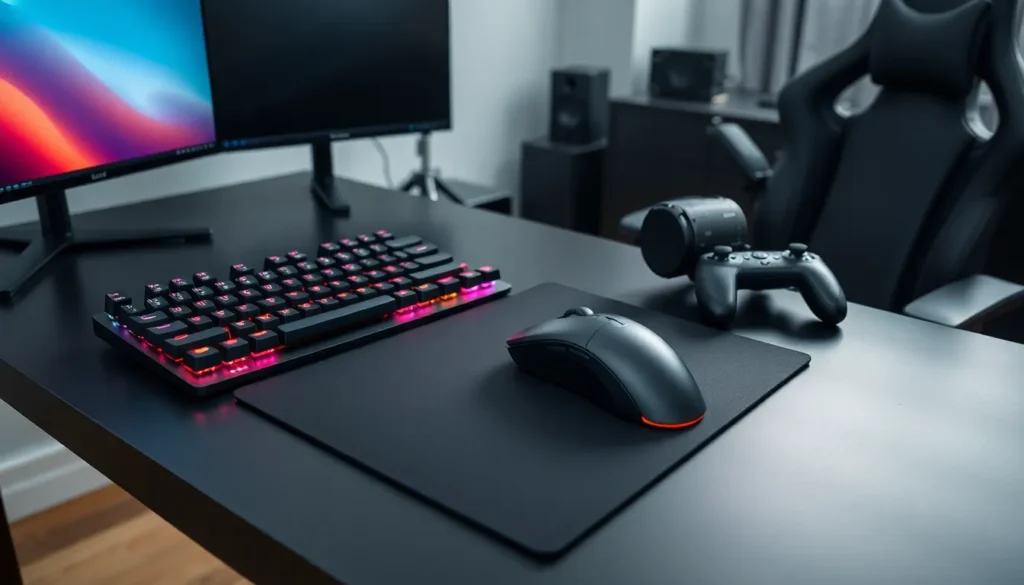
Mechanical keyboards dominate competitive gaming for good reason. They offer faster actuation, longer lifespans, and tactile feedback that membrane keyboards can’t replicate. Players should look for switches that match their preferences, linear switches for smooth keystrokes, tactile switches for feedback, or clicky switches for that satisfying sound.
Polling rates matter too. A 1000Hz polling rate means the keyboard reports to the computer 1000 times per second. For fast-paced games, this responsiveness can mean landing a crucial ability or missing it entirely.
Gaming mice require similar attention. DPI (dots per inch) settings let players adjust sensitivity on the fly. Most competitive players prefer lower DPI settings between 400-800 for precision aiming, while higher settings work well for productivity or specific game genres. Sensor quality, weight, and ergonomic shape all affect performance during extended play sessions.
Wireless technology has caught up with wired options. Modern wireless gaming mice from brands like Logitech, Razer, and SteelSeries offer latency comparable to wired alternatives. Battery life typically ranges from 70-100+ hours on a single charge.
Headsets and Audio Equipment
Audio provides critical information in games. Footsteps in shooters, environmental cues in horror games, and directional sound in battle royales all require quality audio equipment. A gaming accessories guide must emphasize this often-overlooked category.
Gaming headsets combine speakers and microphones in one package. Look for drivers sized 40mm or larger for fuller sound reproduction. Surround sound features, whether true 7.1 or virtual, help players pinpoint enemy locations. Closed-back designs block outside noise, while open-back options provide a wider soundstage at the cost of sound isolation.
Microphone quality varies dramatically between headsets. Players who stream or communicate frequently should prioritize clear voice pickup and noise cancellation features. Detachable or retractable microphones offer flexibility for different use cases.
For audiophiles, separate headphones paired with a dedicated microphone often outperform all-in-one solutions. This approach costs more but delivers superior sound quality for both gaming and music.
Controllers and Gamepads
Controllers remain essential for certain game genres. Racing games, fighting games, platformers, and third-person action titles often play better with a gamepad than keyboard and mouse. Any comprehensive gaming accessories guide acknowledges this reality.
The Xbox Wireless Controller works seamlessly with Windows PCs and offers excellent ergonomics. Its textured grips, responsive triggers, and familiar layout make it a default choice for many PC gamers. The Elite Series 2 adds adjustable tension thumbsticks, back paddles, and swappable components for competitive players.
PlayStation’s DualSense controller brings adaptive triggers and haptic feedback to compatible PC games. These features add immersion that standard rumble motors can’t match. Players feel tension when drawing a bowstring or resistance when driving through mud.
Third-party options expand the possibilities. The 8BitDo Pro 2 offers retro styling with modern features. Scuf controllers provide back paddles and customization options. Fighting game enthusiasts often prefer arcade sticks or fight pads for precise inputs.
Wireless vs. wired remains a personal choice. Wireless controllers offer freedom of movement, while wired options eliminate battery concerns and potential latency. Most modern wireless controllers perform identically to wired versions in blind tests.
Comfort and Ergonomic Accessories
Long gaming sessions take a physical toll. Smart ergonomic choices prevent strain, injury, and discomfort. This section of our gaming accessories guide addresses gear that protects players’ bodies.
Gaming chairs get plenty of attention, but quality varies wildly. Look for adjustable lumbar support, armrest height and angle adjustment, and breathable materials. Racing-style chairs suit some players, while ergonomic office chairs often provide better long-term support. Herman Miller and Secretlab represent opposite ends of this spectrum.
Wrist rests prevent carpal tunnel syndrome and general wrist fatigue. Memory foam or gel options cushion the wrists during keyboard and mouse use. Proper positioning keeps wrists neutral rather than bent upward or downward.
Monitor arms free up desk space and allow perfect screen positioning. Eye-level monitor placement reduces neck strain. Adjustable arms let players shift between sitting and standing positions easily.
Desk mats and large mouse pads create consistent surfaces for mouse movement. Extended options cover both keyboard and mouse areas. They protect desk surfaces and provide cushioning for forearms.
Blue light glasses reduce eye strain during evening sessions. While research on blue light effects remains ongoing, many players report reduced headaches and better sleep after wearing them.
How to Choose the Right Gaming Accessories for Your Setup
Selecting gaming accessories requires honest assessment of individual needs. This gaming accessories guide recommends starting with these questions: What games do they play most? What’s the budget? What problems need solving?
Genre dictates priorities. FPS players benefit most from high-quality mice and low-latency monitors. MMO players might prioritize keyboards with macro keys and comfortable headsets for long sessions. Racing enthusiasts should consider wheels and pedals before other upgrades.
Budget allocation matters. Spending $200 on a keyboard while using a $10 mouse creates an imbalanced setup. Distribute funds across all essential categories first, then upgrade individual pieces over time.
Compatibility deserves attention. Console players have fewer options than PC gamers. Some accessories work across platforms while others remain platform-specific. Always verify compatibility before purchasing.
Reviews and hands-on testing help tremendously. Specifications tell part of the story, but comfort and feel vary between individuals. Stores like Best Buy and Micro Center often have display models. Online reviews from trusted sources like RTINGS, Hardware Canucks, and Optimum Tech provide detailed testing data.
Future-proofing saves money long-term. Quality gaming accessories last years with proper care. Spending more upfront on durable, well-reviewed gear often costs less than replacing cheap alternatives repeatedly.