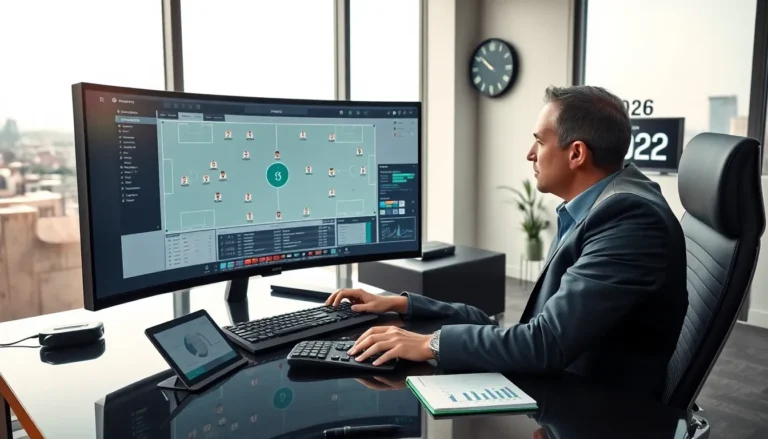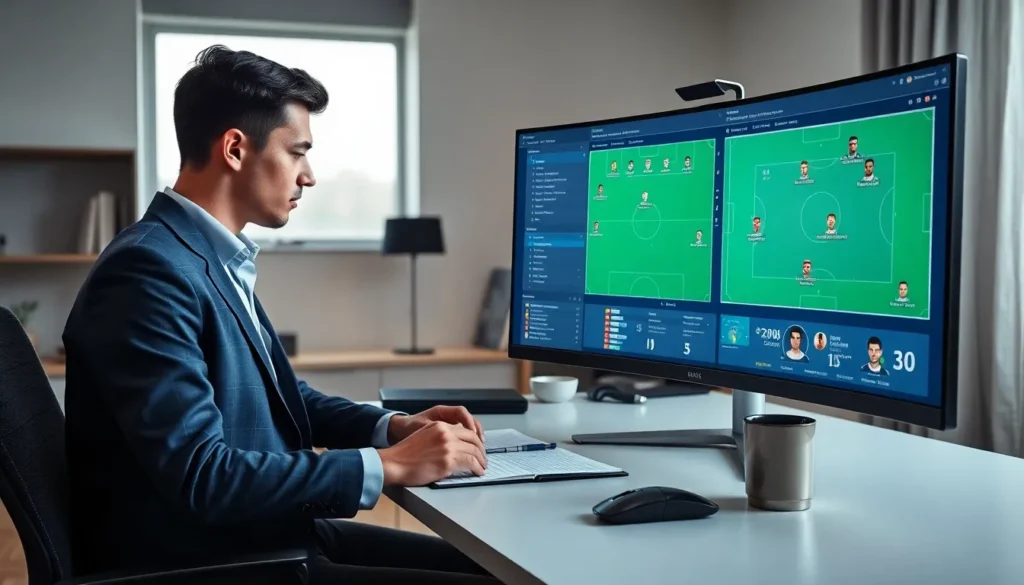


Finding the right gaming accessories ideas can transform a basic gaming station into a high-performance battleground. Whether someone plays competitive shooters, story-driven RPGs, or casual indie titles, the right gear makes a noticeable difference. From controllers that respond faster to chairs that prevent back pain during marathon sessions, every accessory serves a purpose. This guide covers the best gaming accessories ideas across six categories. Readers will discover practical upgrades that improve performance, comfort, and overall enjoyment.
Table of Contents
ToggleKey Takeaways
- The best gaming accessories ideas span six categories: controllers, audio gear, ergonomic items, lighting, organization, and storage solutions.
- Pro-level controllers with customizable paddles and mechanical keyboards with the right switches give competitive players a performance edge.
- Quality audio gear—whether wireless headsets or DAC setups—helps players detect enemy positions and appreciate immersive sound design.
- Ergonomic gaming accessories ideas like gaming chairs, wrist rests, and sit-stand desks protect your body during long sessions.
- RGB lighting and smart systems like Philips Hue extend immersion beyond the screen by syncing room ambiance with gameplay.
- Cable management tools and storage solutions keep setups clean, organized, and ready for action.
Essential Controllers and Input Devices
Controllers and input devices form the foundation of any gaming setup. A quality controller offers precise analog sticks, responsive triggers, and reliable buttons. Pro-level controllers like the Xbox Elite Series 2 or PlayStation DualSense Edge provide customizable back paddles and adjustable trigger stops. These features give competitive players an edge in fast-paced games.
For PC gamers, mechanical keyboards remain a top gaming accessories idea. Switches come in three main types: linear, tactile, and clicky. Linear switches offer smooth keystrokes ideal for rapid inputs. Tactile switches provide feedback without loud sounds. Clicky switches satisfy those who enjoy audible confirmation of each press.
Gaming mice deserve equal attention. Look for sensors with at least 16,000 DPI for accurate tracking. Programmable buttons allow players to assign macros or shortcuts. Weight customization helps users find their perfect balance. Brands like Logitech, Razer, and SteelSeries consistently deliver reliable options.
Fight stick controllers appeal to fighting game enthusiasts. These arcade-style devices offer authentic inputs for titles like Street Fighter and Tekken. Flight sticks and racing wheels provide simulation fans with immersive control schemes that standard controllers can’t match.
Audio Gear for Immersive Gameplay
Sound design in modern games has reached impressive levels. Players need quality audio gear to experience every detail. Gaming headsets deliver positional audio that helps locate enemies, identify environmental cues, and appreciate musical scores.
Wireless headsets have improved dramatically. Models from SteelSeries, HyperX, and Astro offer low-latency connections that rival wired options. Battery life now exceeds 20 hours on many premium models. Comfort features like memory foam ear cups make extended sessions painless.
Some players prefer separate components. A dedicated DAC (digital-to-analog converter) paired with studio headphones produces superior audio quality. This setup costs more but rewards audiophiles with exceptional clarity. Open-back headphones create a wider soundstage, while closed-back models provide isolation.
Microphones matter for streamers and team-based gamers. USB microphones like the Blue Yeti or Elgato Wave offer plug-and-play convenience. XLR microphones require an audio interface but deliver broadcast-quality sound. Boom arms keep microphones positioned correctly without cluttering desk space.
Soundbar systems work well for those who dislike headsets. Gaming-focused soundbars from Razer and Creative include preset audio modes optimized for different game genres.
Comfort and Ergonomic Accessories
Long gaming sessions take a toll on the body. Smart gaming accessories ideas focus on comfort and health. A quality gaming chair supports proper posture with lumbar cushions and adjustable armrests. Secretlab, Herman Miller, and Noblechairs produce chairs that last for years.
Sit-stand desks let players alternate positions throughout the day. Electric models adjust height with a button press. This movement reduces strain on the back and legs. Even budget-friendly desk converters provide similar benefits.
Wrist rests prevent carpal tunnel syndrome during keyboard and mouse use. Gel-filled or memory foam options cushion the wrists without restricting movement. Mouse pads with built-in wrist support combine two accessories into one.
Monitor arms free up desk space and allow precise screen positioning. Proper monitor height reduces neck strain. Dual-arm mounts support multiple displays for streamers or multitaskers.
Blue light blocking glasses protect eyes during nighttime gaming. Extended screen exposure can disrupt sleep patterns. These glasses filter harmful wavelengths while maintaining color accuracy for gameplay.
Lighting and Aesthetic Upgrades
Visual appeal matters in a gaming setup. RGB lighting has become a staple gaming accessories idea for good reason. LED strips behind monitors reduce eye strain by providing bias lighting. They also create atmosphere that matches in-game events when synced with software.
Smart lighting systems like Philips Hue offer deep integration with games. Imagine room lights flashing red during combat or shifting to calm blue in peaceful areas. This immersion extends gameplay beyond the screen.
LED panels and light bars serve both practical and decorative purposes. Nanoleaf panels create geometric patterns on walls. Govee light bars sync with on-screen content for reactive effects. These accessories photograph well for social media content too.
Custom keycaps personalize mechanical keyboards. Artisan keycaps feature unique designs, from simple color swaps to elaborate sculpted characters. PBT plastic keycaps resist shine and wear better than standard ABS caps.
Desk mats with RGB edges combine functionality with style. Extended mouse pads protect desk surfaces while adding ambient lighting. Many models include wireless charging zones for phones or earbuds.
Organization and Cable Management Solutions
A clean setup performs better and looks professional. Cable management ranks among the most practical gaming accessories ideas. Cable raceways hide wires along desk edges or walls. Velcro straps bundle cables together neatly.
Under-desk cable trays catch loose wires and power strips. This simple addition prevents tangles and makes cleaning easier. Magnetic cable clips keep frequently used cables within reach.
USB hubs consolidate connections into a single accessible point. Hubs with individual power switches let users disconnect devices without unplugging them. Powered hubs support more demanding peripherals.
Controller stands and headset hooks keep accessories visible and ready. Wall-mounted options save desk space. Charging stands ensure controllers stay powered between sessions.
Drawer organizers store spare batteries, thumb grips, and small accessories. Pegboards create customizable storage walls for headsets, controllers, and cables. These systems adapt as collections grow.
Game storage solutions deserve consideration too. Tower stands display physical game cases vertically. Digital-focused gamers benefit from external SSDs that expand console storage. NVMe drives offer the fastest load times for PC players.