
Gaming accessories and tools can make or break a play session. The right controller, headset, or monitor transforms casual gaming into something far more immersive. Whether someone plays competitively or just wants a smoother experience, the gear they use matters.
This guide covers the essential gaming accessories every player should consider. From input devices to ergonomic chairs, each category plays a specific role in performance and comfort. Readers will learn what to look for, why certain features matter, and how to build a setup that fits their needs.
Table of Contents
ToggleKey Takeaways
- Quality gaming accessories like controllers, headsets, and monitors significantly impact both performance and comfort during play sessions.
- Mechanical keyboards and high-polling-rate mice reduce input lag, giving PC gamers a competitive edge.
- Gaming monitors with 144Hz or higher refresh rates and 1ms response times deliver smoother visuals for fast-paced gameplay.
- Ergonomic gaming accessories such as chairs, wrist rests, and adjustable monitor arms help prevent strain during long sessions.
- Always check platform compatibility before purchasing gaming accessories to avoid connectivity issues.
- Mid-range gaming accessories often provide excellent value—build your setup gradually to spread costs and allow for future upgrades.
Controllers and Input Devices
Controllers and input devices are the foundation of any gaming setup. They determine how players interact with their games, and quality makes a noticeable difference.
Controllers
A good controller offers responsive buttons, comfortable grips, and reliable wireless connectivity. Console gamers often stick with first-party options like the PlayStation DualSense or Xbox Wireless Controller. These gaming accessories provide excellent build quality and seamless compatibility.
PC players have more choices. They can use console controllers or opt for specialized options like the SCUF Reflex or Razer Wolverine. These controllers feature additional back buttons and customizable triggers. Competitive players often prefer them for faster inputs.
Keyboards and Mice
PC gamers rely heavily on keyboards and mice. Mechanical keyboards offer tactile feedback and faster actuation times. Brands like Corsair, SteelSeries, and Logitech dominate this space with gaming accessories built for speed and durability.
Gaming mice come with adjustable DPI settings, programmable buttons, and ergonomic designs. A mouse with a high polling rate (1000Hz or more) ensures minimal input lag. Wireless options from Logitech and Razer now match wired performance, giving players freedom without sacrificing speed.
Specialty Input Devices
Some genres demand specific tools. Racing enthusiasts benefit from steering wheels and pedal sets. Flight sim fans use joysticks and throttle controls. These gaming accessories add realism that standard controllers cannot match.
Audio Equipment for Immersive Gameplay
Sound plays a huge role in gaming. Footsteps, environmental cues, and voice chat all require quality audio equipment.
Gaming Headsets
A solid gaming headset delivers clear audio and a reliable microphone. Closed-back designs block external noise, helping players focus. Open-back headsets provide a wider soundstage but leak sound.
Popular gaming accessories in this category include the HyperX Cloud II, SteelSeries Arctis Nova, and Astro A50. Each offers different strengths. The HyperX excels at comfort and value. The Arctis Nova provides premium audio quality. The Astro A50 stands out for wireless convenience and surround sound.
Standalone Microphones
Streamers and content creators often use standalone microphones. USB options like the Blue Yeti or Elgato Wave:3 deliver studio-quality voice capture. These gaming accessories improve communication clarity far beyond built-in headset mics.
Speakers and Soundbars
Not everyone wants to wear headphones for hours. Gaming-focused speakers and soundbars provide room-filling audio. Razer and Logitech offer options designed specifically for desk setups. They balance size, power, and audio clarity for gaming sessions.
Monitors and Visual Enhancements
Visuals matter as much as audio. The right monitor and display accessories enhance clarity, speed, and immersion.
Gaming Monitors
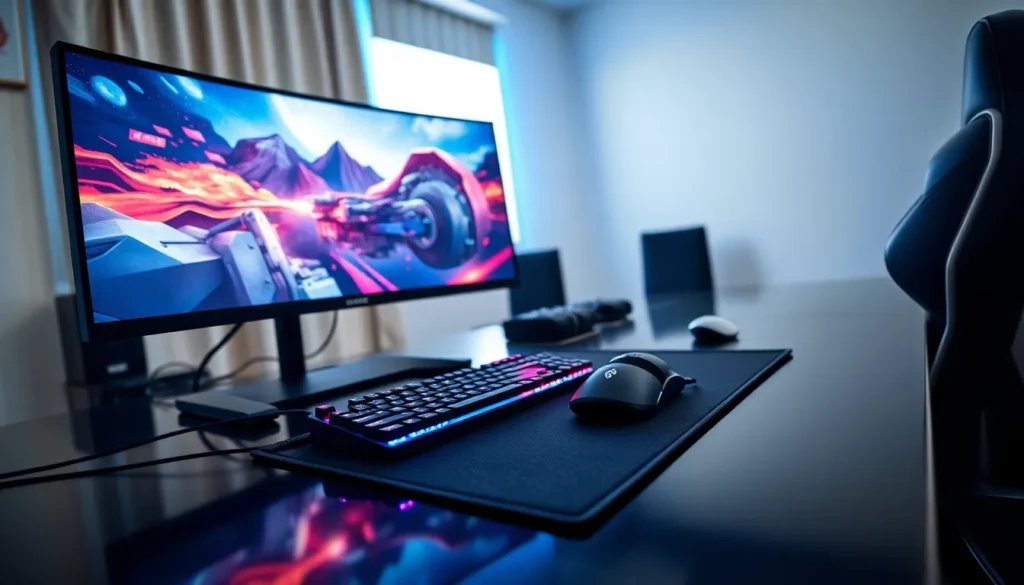
A gaming monitor should prioritize refresh rate and response time. Competitive players often choose 144Hz or 240Hz panels for smoother motion. Response times of 1ms reduce ghosting and blur.
Panel type also matters. IPS panels offer better colors and viewing angles. VA panels provide deeper blacks. TN panels deliver the fastest response times but sacrifice color accuracy. These gaming accessories come in various sizes, with 27-inch models being most popular for desk setups.
Resolution affects visual clarity. 1080p remains common for competitive gaming. 1440p offers a good balance between sharpness and performance. 4K looks stunning but demands powerful hardware.
Monitor Arms and Stands
Adjustable monitor arms improve ergonomics and free up desk space. They allow players to position screens at optimal heights and distances. Brands like Ergotron and AmazonBasics offer reliable options at different price points.
Lighting Solutions
Bias lighting reduces eye strain during long sessions. LED strips placed behind monitors create ambient backlighting. RGB lighting setups from brands like Govee and Philips Hue add atmosphere while protecting vision. These gaming accessories serve both functional and aesthetic purposes.
Comfort and Ergonomic Accessories
Long gaming sessions take a toll on the body. Ergonomic gaming accessories reduce strain and prevent injury.
Gaming Chairs
A quality gaming chair supports proper posture. Look for adjustable lumbar support, armrests, and seat height. Secretlab, Herman Miller, and Noblechairs produce well-regarded options.
Not everyone needs a “gaming” chair specifically. Many ergonomic office chairs work equally well. The key is finding something that supports the spine during extended use.
Desks and Desk Accessories
Gaming desks should accommodate all equipment comfortably. Standing desk options allow players to alternate positions. Cable management systems keep setups clean and organized.
Mouse pads deserve attention too. Extended desk mats protect surfaces and provide consistent tracking. Hard pads offer speed while cloth pads provide control. These gaming accessories impact mouse performance directly.
Wrist Rests and Support
Keyboard and mouse wrist rests reduce pressure on joints. Gel or memory foam options keep wrists neutral during play. They’re small investments that prevent bigger problems down the road.
How to Choose the Right Gaming Accessories
Selecting gaming accessories requires careful thought. Budget, playstyle, and platform all influence the best choices.
Define Priorities
Players should identify what matters most. Competitive gamers prioritize low latency and fast response times. Casual players might value comfort and aesthetics more. Streamers need quality audio and video capture tools.
Research and Compare
Reading reviews from trusted sources helps narrow options. YouTube channels and tech sites test gaming accessories thoroughly. User reviews on retail sites reveal long-term reliability issues.
Consider Compatibility
Not all gaming accessories work with every platform. Some headsets connect only to specific consoles. Certain controllers require adapters for PC use. Checking compatibility before purchase prevents frustration.
Set a Realistic Budget
Quality gaming accessories range from affordable to expensive. Spending more usually means better build quality and features. But, mid-range options often deliver excellent value. Players don’t need to buy everything at once. Building a setup over time spreads costs and allows for upgrades as needs change.
Test When Possible
Visiting retail stores lets players try before buying. Feeling a controller’s weight, testing a headset’s fit, and viewing a monitor’s colors in person provides information that specs alone cannot.