
Gaming accessories vs standard peripherals, it’s a debate that sparks countless forum threads and Reddit arguments. Some swear by their $150 gaming mouse, while others claim a basic office keyboard works just fine. So who’s right?
The answer depends on how you use your computer, what games you play, and honestly, how much you care about shaving milliseconds off your reaction time. This guide breaks down the real differences between gaming accessories and standard peripherals. It covers specific product categories, explains when premium gear matters, and helps readers decide where their money is best spent.
Table of Contents
ToggleKey Takeaways
- Gaming accessories vs standard peripherals comes down to your gaming habits, skill level, and budget—not marketing hype.
- Gaming mice and keyboards offer faster response times (1-5ms vs 15-20ms) and higher polling rates, which matter most for competitive, reaction-based games.
- Standard peripherals make sense for casual gamers, budget-conscious buyers, and those who prioritize simplicity over customization.
- When comparing gaming accessories vs standard options, prioritize mice first for performance gains, then keyboards, then headsets.
- Calculate cost-per-year rather than upfront price—a quality gaming accessory that lasts five years often costs less than replacing cheap gear annually.
- Test peripherals in-store before buying, as personal comfort and preference vary more than specs suggest.
What Makes Gaming Accessories Different
Gaming accessories differ from standard peripherals in several measurable ways. The most significant? Polling rate, response time, and build quality.
Polling rate refers to how often a device sends data to a computer. Standard mice typically poll at 125Hz, meaning they report their position 125 times per second. Gaming mice often poll at 1000Hz or higher, eight times more frequently. For fast-paced shooters or competitive esports, that difference can affect gameplay.
Response time matters too. Gaming keyboards use mechanical switches or optical sensors that register keystrokes faster than membrane keyboards. A typical membrane keyboard might have a 15-20ms response time. Gaming keyboards often achieve 1-5ms. That gap adds up during intense gaming sessions.
Build quality separates the categories as well. Gaming accessories use higher-grade materials, aircraft-grade aluminum frames, PBT keycaps instead of ABS plastic, and braided cables rather than rubber-coated wires. These materials last longer under heavy use.
There’s also customization. Gaming peripherals usually include software for macro programming, DPI adjustment, and RGB lighting control. Standard peripherals rarely offer these features. A gamer can fine-tune their gaming accessories to match specific games or personal preferences.
But here’s the catch: many of these differences only matter at certain skill levels. A casual player won’t notice a 10ms improvement in response time. A professional esports athlete absolutely will.
Key Categories to Compare
Mice and Keyboards
The gaming accessories vs standard peripherals debate gets most heated around mice and keyboards. These are the tools gamers use constantly, so differences feel more pronounced.
Gaming mice offer adjustable DPI settings, often ranging from 200 to 25,000 DPI. Players can switch sensitivity on the fly, lower DPI for precise sniping, higher DPI for quick movements. Standard mice typically lock users into one sensitivity setting.
Weight also differs. Many gaming mice let users add or remove weights to achieve their preferred feel. Lighter mice (under 80 grams) have become popular among FPS players. Standard office mice don’t consider weight a priority.
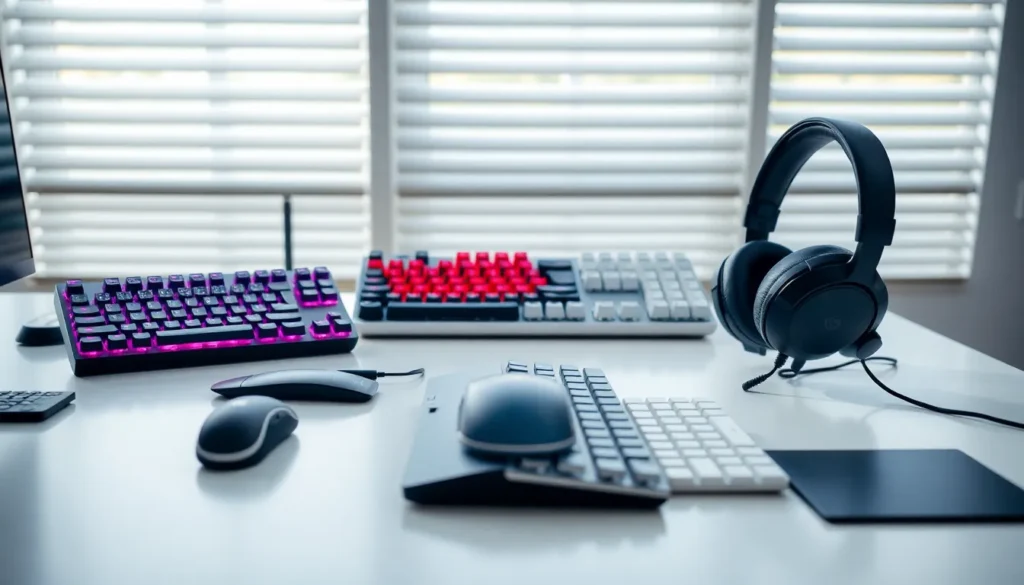
For keyboards, the switch type creates the biggest divide. Gaming keyboards predominantly use mechanical switches, Cherry MX, Gateron, or proprietary designs. Each switch type offers different actuation forces and feedback. Linear switches feel smooth for gaming. Tactile switches provide a bump for typing accuracy. Standard keyboards use membrane switches that feel mushy by comparison.
N-key rollover is another gaming keyboard feature. It allows every key to register simultaneously, no matter how many keys a player presses at once. Standard keyboards may only support 2-6 simultaneous keypresses, a problem for complex game commands.
Headsets and Audio Equipment
Audio gear shows similar divisions between gaming accessories and standard options.
Gaming headsets emphasize positional audio. They help players hear footsteps, gunshots, and environmental cues from specific directions. Virtual 7.1 surround sound has become standard in mid-range gaming headsets. Standard headphones focus on music reproduction, which requires different audio tuning.
Microphone quality matters for team communication. Gaming headsets include built-in mics with noise cancellation designed for voice chat. Standard headphones either lack microphones entirely or include basic inline mics.
Comfort for extended sessions drives gaming headset design. Memory foam ear cushions, adjustable headbands, and lightweight frames reduce fatigue during long gaming sessions. Office headsets assume shorter usage periods.
That said, audiophiles often prefer separate headphones and microphones over gaming headsets. High-end studio headphones paired with a dedicated microphone can outperform all-in-one gaming solutions. The gaming accessories vs audiophile gear debate is its own rabbit hole.
When Standard Peripherals Make Sense
Gaming accessories aren’t always the right choice. Several scenarios favor standard peripherals.
Budget constraints make standard options attractive. A decent gaming mouse costs $50-100. A functional office mouse costs $15-30. If gaming isn’t a primary activity, that price difference funds other purchases.
Casual gamers often don’t need specialized gear. Someone who plays Stardew Valley or turn-based strategy games won’t benefit from a 1ms response time. The advantages of gaming accessories apply mainly to competitive, reaction-based games.
Workplace environments sometimes prohibit flashy gaming gear. RGB lighting and aggressive designs don’t fit every office. A standard black keyboard draws less attention than a glowing gaming setup.
Simplicity appeals to some users. Gaming accessories require software installation, firmware updates, and configuration. Standard peripherals work immediately with no setup. Plug and play has real value.
Travel and portability favor compact standard options. Gaming keyboards with detachable wrist rests and multiple USB ports don’t fit easily in laptop bags. A slim wireless keyboard travels better.
Finally, some standard peripherals now incorporate gaming features. The line between categories has blurred. Budget mechanical keyboards offer gaming-grade switches at office-friendly prices. Wireless mice from mainstream brands achieve respectable polling rates.
How to Decide What You Need
Choosing between gaming accessories vs standard peripherals requires honest self-assessment.
Start with usage patterns. How many hours per week do you game? What genres do you play? Competitive FPS players benefit most from gaming peripherals. Casual gamers see diminishing returns on premium gear.
Consider your skill level realistically. Pro-level equipment won’t transform a beginner into a pro. Skill development matters more than gear at early stages. Gaming accessories provide marginal gains for already-skilled players.
Set a realistic budget. Gaming accessories cost more upfront but often last longer. Calculate cost-per-year rather than just purchase price. A $120 mechanical keyboard that lasts five years costs $24 annually. A $30 membrane keyboard replaced yearly costs $30 annually.
Prioritize based on impact. A gaming mouse typically offers the biggest performance improvement. Keyboards come second. Headsets matter for multiplayer communication but affect gameplay less directly. Spend where improvement matters most.
Test before buying when possible. Visit electronics stores to feel different switches and mouse shapes. Online reviews help, but personal comfort varies. What works for a reviewer might not work for you.
Read warranty and return policies. Gaming accessories should include at least a two-year warranty. Reputable brands stand behind their products. Avoid budget gaming gear from unknown manufacturers, they often underperform standard peripherals from established brands.