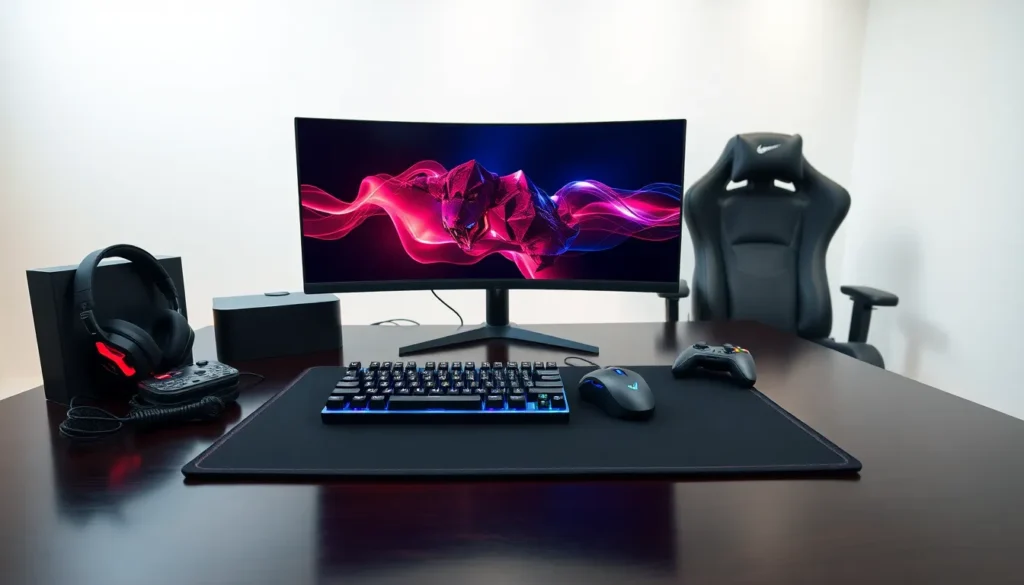

Gaming accessories can transform an average setup into a winning station. The right gear improves response times, sharpens audio cues, and keeps players comfortable during long sessions. Whether someone games on PC, console, or both, the accessories they choose directly affect performance and enjoyment.
This guide covers the most important gaming accessories available today. From controllers and headsets to monitors and ergonomic chairs, each category plays a specific role in creating an optimal gaming experience. Players who invest in quality gaming accessories often notice immediate improvements in how they play and feel.
Table of Contents
ToggleKey Takeaways
- Quality gaming accessories like mechanical keyboards, precision mice, and high refresh rate monitors directly improve response times and gameplay performance.
- Audio-focused gaming accessories such as headsets with virtual 7.1 surround sound help players detect critical in-game cues like footsteps and gunfire direction.
- High refresh rate monitors (144Hz or higher) create noticeably smoother visuals and reduce input lag compared to standard 60Hz displays.
- Ergonomic gaming accessories including proper chairs, wrist rests, and desk mats protect your health during long gaming sessions.
- Prioritize gaming accessories based on your preferred game genre—FPS players benefit most from fast monitors and lightweight mice, while MMO players need programmable buttons.
- Mid-range gaming accessories often deliver 80% of premium performance at half the cost, making them smart investments for most players.
Controllers and Input Devices
Controllers and input devices form the foundation of any gaming setup. These gaming accessories determine how players interact with their games, making them one of the most critical purchases.
Gaming Controllers
Modern gaming controllers offer features that standard controllers lack. Pro-level options include adjustable trigger sensitivity, back paddles for extra inputs, and swappable thumbsticks. The Xbox Elite Series 2 and PlayStation DualSense Edge represent the premium end of this market. Budget-friendly alternatives from brands like PowerA and 8BitDo provide solid performance at lower price points.
Mechanical Keyboards
PC gamers benefit significantly from mechanical keyboards. These gaming accessories use individual switches under each key, providing faster response times and longer lifespans than membrane keyboards. Switch types matter, linear switches suit fast-paced games, while tactile switches help with typing accuracy. Popular choices include the Razer BlackWidow, Corsair K70, and SteelSeries Apex Pro.
Gaming Mice
A quality gaming mouse offers precision that standard mice can’t match. Key specs include DPI (dots per inch), polling rate, and weight. Higher DPI allows for more sensitive cursor movement, while higher polling rates mean faster response times. Lightweight mice under 80 grams have become popular among competitive FPS players. The Logitech G Pro X Superlight and Razer DeathAdder V3 consistently rank among top picks.
Headsets and Audio Equipment
Audio quality separates casual players from serious competitors. Gaming accessories focused on sound can reveal footsteps, gunfire direction, and other critical audio cues that affect gameplay outcomes.
Gaming Headsets
A dedicated gaming headset combines audio output with a built-in microphone. This makes them convenient for multiplayer communication. Wired headsets typically offer lower latency than wireless options, though modern wireless gaming accessories have closed this gap significantly. The HyperX Cloud II, SteelSeries Arctis Nova 7, and Astro A50 serve different budgets and preferences.
Surround sound capability matters for competitive play. Virtual 7.1 surround sound helps players locate enemies by sound alone. Some headsets use software-based surround, while others include dedicated hardware processing.
Standalone Microphones
Streamers and content creators often prefer separate microphones over headset mics. USB condenser microphones like the Blue Yeti or Elgato Wave:3 deliver broadcast-quality voice capture. These gaming accessories require additional desk space but produce noticeably clearer audio for audiences.
External DACs and Amplifiers
Audiophile gamers sometimes add external digital-to-analog converters (DACs) to their setups. These devices improve sound quality beyond what motherboard audio can provide. The FiiO E10K and Schiit Fulla offer entry-level options for those curious about this upgrade path.
Monitors and Display Upgrades
Display quality directly impacts what players see and how quickly they react. Gaming accessories in this category have seen rapid advancement in recent years.
High Refresh Rate Monitors
Refresh rate measures how many times per second a monitor updates its image. Standard monitors run at 60Hz, but gaming monitors now offer 144Hz, 240Hz, and even 360Hz options. Higher refresh rates create smoother visuals and can reduce input lag. Players who switch from 60Hz to 144Hz typically describe the difference as immediately noticeable.
Resolution and Panel Types
1080p remains popular for competitive gaming because it’s easier to achieve high frame rates. 1440p offers a nice balance between visual quality and performance. 4K gaming requires powerful hardware but delivers stunning detail.
Panel technology also matters. IPS panels provide excellent color accuracy and viewing angles. VA panels offer deeper blacks and higher contrast. TN panels have the fastest response times but weaker colors. Most gamers today prefer IPS or VA gaming accessories for their monitors.
Response Time
Response time measures how quickly pixels change color. Lower numbers mean less motion blur. Gaming monitors typically advertise 1ms response times, though real-world performance varies by panel type and measurement method.
Comfort and Ergonomic Accessories
Long gaming sessions take a physical toll. Smart players invest in gaming accessories that protect their health and comfort.
Gaming Chairs
Gaming chairs range from budget racing-style seats to premium ergonomic options. The Secretlab Titan and Herman Miller x Logitech Embody represent different approaches, flashy gaming aesthetic versus office-grade ergonomics. Key features include lumbar support, adjustable armrests, and breathable materials.
Desk Accessories
Wrist rests prevent strain during keyboard and mouse use. Large desk mats provide consistent mouse tracking while protecting desk surfaces. Monitor arms free up desk space and allow precise screen positioning. These gaming accessories cost relatively little but improve daily comfort significantly.
Lighting and Ambiance
RGB lighting has become standard in gaming setups. Beyond aesthetics, bias lighting behind monitors can reduce eye strain during dark gaming sessions. Smart lights from Philips Hue and Govee sync with games for immersive effects. While not essential, these gaming accessories add personality to any setup.
How to Choose the Right Gaming Accessories
Selecting gaming accessories requires balancing budget, needs, and gaming habits. A few guidelines help narrow down choices.
Prioritize by Game Type
Different genres benefit from different gaming accessories. FPS players should prioritize high refresh rate monitors and lightweight mice. Racing game fans might invest in wheels and pedals. Fighting game enthusiasts often prefer arcade sticks. MMO players benefit from mice with many programmable buttons.
Set a Realistic Budget
Quality gaming accessories exist at every price point. Mid-range options often deliver 80% of premium performance at half the cost. Prioritize the accessories that affect gameplay most directly, usually input devices and displays, before spending on RGB lighting or cable management.
Read Reviews and Compare
User reviews reveal real-world performance that spec sheets miss. YouTube reviewers like Hardware Unboxed, Optimum, and Badseed Tech provide detailed testing. Reddit communities offer honest opinions from actual owners.
Check Compatibility
Some gaming accessories work across platforms while others don’t. Console gamers should verify that keyboards, mice, and headsets support their specific system. PC gamers should confirm their hardware can drive high-resolution, high-refresh-rate monitors.