
The right top gaming accessories can transform an average setup into something special. Whether someone plays competitively or casually, the gear surrounding the screen matters more than most players realize. A quality headset, responsive mouse, or comfortable chair changes how games feel, and how well players perform.
This guide covers the essential gaming accessories worth considering in 2025. From audio equipment to ergonomic upgrades, each category plays a specific role in creating a better gaming experience. Players looking to upgrade their setup will find practical recommendations and key features to prioritize.
Table of Contents
ToggleKey Takeaways
- Top gaming accessories like quality headsets, precision mice, and mechanical keyboards can significantly improve both performance and enjoyment.
- Gaming headsets with 50mm drivers and surround sound provide spatial awareness that offers a competitive edge in shooters and battle royale games.
- A gaming mouse with adjustable DPI, high polling rate (1000Hz or higher), and a quality mousepad forms the foundation for accurate PC gaming input.
- Mechanical keyboards with the right switch type and faster actuation distances shave milliseconds off keypresses for competitive advantage.
- Premium controllers with back paddles, adjustable triggers, and hall-effect joysticks help console gamers elevate their gameplay.
- Ergonomic upgrades like gaming chairs with lumbar support, monitor arms, and RGB bias lighting reduce strain during long gaming sessions.
High-Performance Gaming Headsets
A quality gaming headset does two things well: it delivers clear audio and captures voice accurately. Both matter for competitive play and immersive single-player experiences.
Sound quality separates budget headsets from premium options. Top gaming accessories in the audio category feature 50mm drivers or larger, producing deep bass and crisp highs. Surround sound capabilities, whether virtual or true multi-driver setups, help players locate enemies by footsteps alone. This spatial awareness provides a genuine competitive edge in shooters and battle royale games.
Microphone quality often gets overlooked. A headset with noise-canceling mic technology ensures teammates hear callouts clearly without background noise. Detachable or flip-to-mute microphones add convenience for players who switch between gaming and music listening.
Comfort becomes critical during long sessions. Memory foam ear cushions and adjustable headbands prevent fatigue. Lightweight designs under 300 grams reduce neck strain over time.
Popular choices include wired options for zero latency and wireless models for freedom of movement. Wireless headsets now offer 20+ hours of battery life and low-latency connections that rival wired performance. Players should consider their priorities, pure audio fidelity favors wired, while convenience points toward wireless.
Precision Gaming Mice and Mousepads
The mouse serves as a player’s primary input device in PC gaming. Precision and comfort directly impact aim and overall performance.
DPI (dots per inch) determines sensitivity range. Gaming mice typically offer adjustable DPI from 400 to 25,000+, letting players fine-tune sensitivity for different games. FPS players often prefer lower DPI for precise aiming, while MOBA players might choose higher settings for quick cursor movement.
Polling rate measures how often the mouse reports its position to the computer. A 1000Hz polling rate means updates every millisecond, essential for competitive gaming. Some top gaming accessories now feature 4000Hz or even 8000Hz polling rates for ultra-responsive tracking.
Sensor type matters significantly. Optical sensors work well on most surfaces and resist dust interference. Modern optical sensors match or exceed older laser technology in accuracy while offering better consistency.
Weight customization has become standard in premium mice. Removable weights let players dial in their preferred heft. Ultralight mice under 70 grams have gained popularity for reducing hand fatigue during extended sessions.
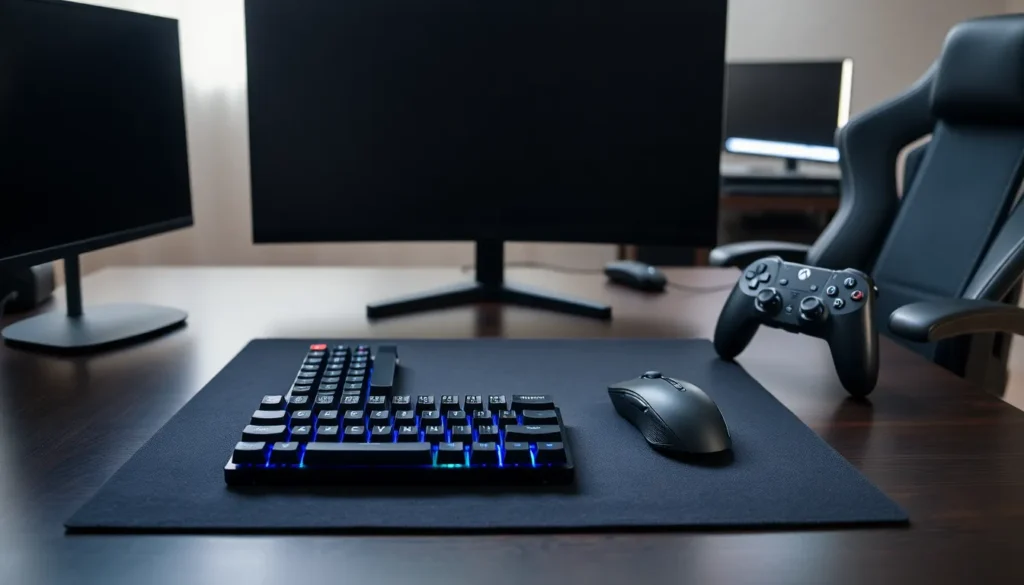
A quality mousepad complements the mouse. Hard pads offer speed and durability. Cloth pads provide control and stopping power. Extended desk mats protect surfaces while giving ample room for low-sensitivity sweeping movements. The mousepad-mouse combination forms the foundation of accurate PC gaming input.
Mechanical Keyboards for Faster Response
Mechanical keyboards remain the preferred choice for serious gamers. They offer consistent actuation, durability, and satisfying tactile feedback that membrane keyboards can’t match.
Switch type defines the keyboard experience. Linear switches (like Cherry MX Red) move smoothly without a tactile bump, ideal for rapid key presses in competitive games. Tactile switches provide feedback at the actuation point without the loud click. Clicky switches deliver both tactile and audible feedback, which some players prefer for typing-heavy games.
Actuation distance affects response time. Standard switches actuate at 2mm, but speed switches trigger at 1-1.2mm. This shorter distance shaves milliseconds off each keypress, a small advantage that adds up in fast-paced games.
N-key rollover (NKRO) ensures every keypress registers, even when mashing multiple keys simultaneously. Anti-ghosting prevents phantom inputs. Both features matter for games requiring complex key combinations.
Top gaming accessories in the keyboard category often include programmable macro keys, onboard memory for profiles, and per-key RGB lighting. Hot-swappable switches let players change switch types without soldering, useful for those who want different switches for different games.
Form factor options range from full-size (104 keys) to compact 60% layouts. Tenkeyless (TKL) keyboards remove the numpad, freeing desk space for wider mouse movements. Players should choose based on their desk setup and whether they need dedicated number keys.
Controllers and Console Add-Ons
Console gamers and PC players who prefer controllers have numerous upgrade options beyond standard gamepads.
Premium controllers feature enhanced build quality and additional functionality. Back paddles or buttons let players keep thumbs on joysticks while accessing face buttons, a significant advantage in shooters. Adjustable trigger stops reduce travel distance for faster firing. Swappable thumbstick caps in different heights and textures improve grip and precision.
Third-party controllers from brands like Scuf, Razer, and PowerA offer these premium features at various price points. Some top gaming accessories include hall-effect joysticks that resist drift, a common problem with standard analog sticks.
Charging solutions keep controllers ready. Dual charging docks look clean and eliminate cable clutter. High-capacity rechargeable battery packs extend wireless playtime beyond stock batteries.
Console-specific add-ons enhance the experience further. PS5 players can add DualSense Edge controllers or third-party cooling stands. Xbox users benefit from expandable storage cards and controller grips. Nintendo Switch owners might consider Pro Controllers, portable docks, or carrying cases for handheld mode.
Controller customization extends to aesthetics. Custom shells, faceplates, and button replacements let players personalize their gear without affecting performance.
Essential Comfort and Lighting Upgrades
Long gaming sessions demand attention to ergonomics and ambiance. Comfort accessories prevent strain while lighting upgrades create an immersive atmosphere.
Gaming chairs range from basic ergonomic designs to full racing-style seats. Key features include lumbar support, adjustable armrests (4D adjustment preferred), and recline functionality. Memory foam cushions conform to body shape over time. Some players prefer ergonomic office chairs over gaming-branded options, both work well when properly adjusted.
Desk setup matters equally. Monitor arms free up desk space and allow precise screen positioning. Wrist rests reduce strain during keyboard and mouse use. Cable management solutions keep the setup clean and organized.
RGB lighting has become standard among top gaming accessories. LED strips behind monitors reduce eye strain by providing bias lighting. Smart bulbs sync with games for reactive lighting effects. RGB controllers can unify lighting across multiple devices for cohesive color schemes.
Monitor light bars illuminate the desk without creating screen glare. They’re practical additions for evening gaming sessions and reduce eye fatigue compared to overhead lighting.
Streaming accessories deserve mention for content creators. Ring lights, green screens, and camera mounts help players share their gaming experiences. Even non-streamers might appreciate a quality webcam for video calls with gaming friends.